

ORGANIZE
One place per job.
Not five apps per job.
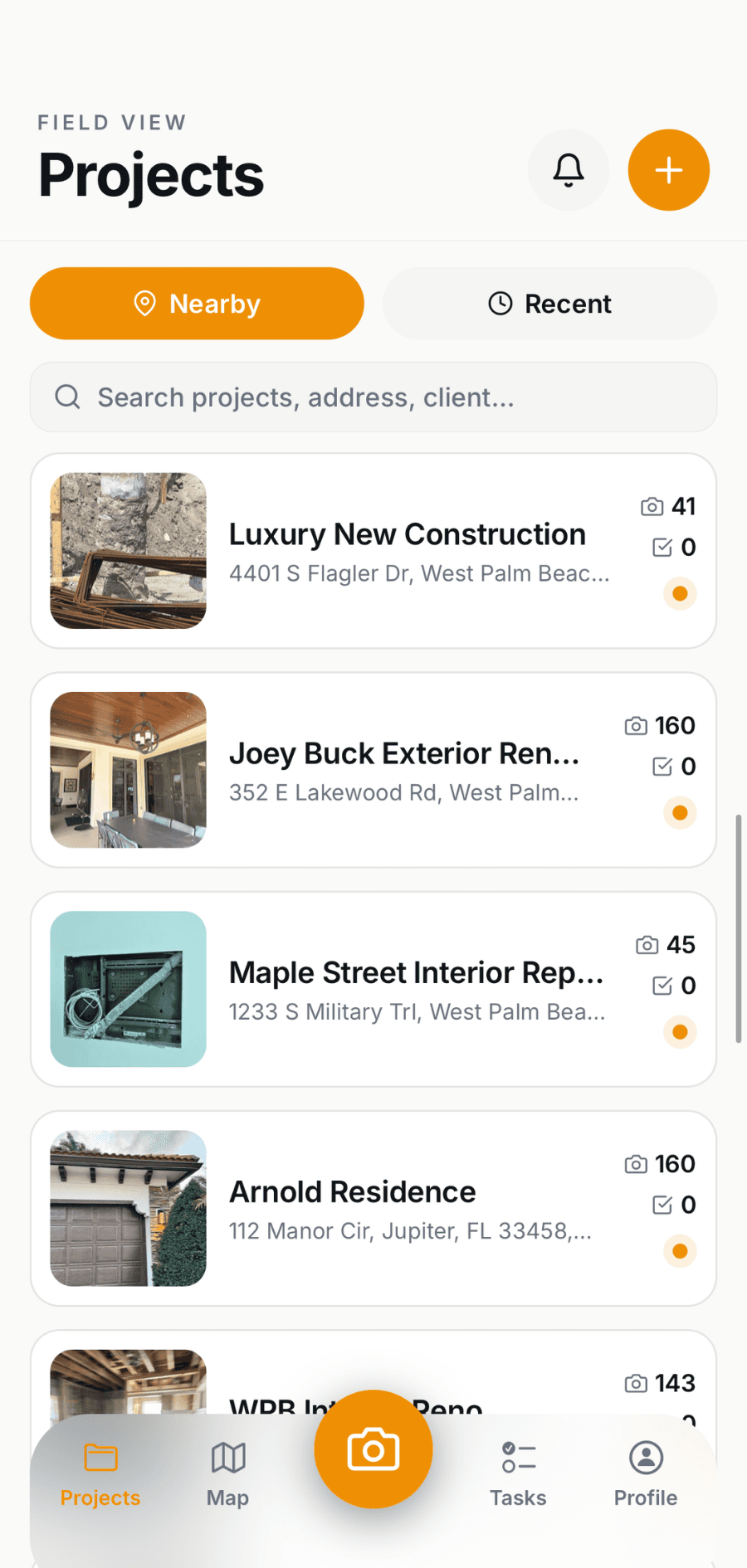
• A project for every job, built in seconds.
• Tasks assigned to whoever's actually on site.
• Unlimited photo history - pull up any job, even two years back.
• Every photo stamped with GPS, time, and who took it.
Luke O. - Palm Beach Painters
"Before Field View, every job's photos were scattered across three guys' phones. Now I open the project and it's all there — every coat, every touch-up, tagged by crew. When a customer questions something from two weeks ago, I pull it up in ten seconds."
Start Your Free Trial

SEE WHATS HAPPENING IN THE FIELD
Stop calling around to find
out where jobs stand.
Tyler H. - Austin Pavement Co.
“I used to burn an hour a day calling around to figure out where jobs stood. Now I check the feed with my coffee and I already know. If something looks off in the photos, I catch it before the customer does.”
Start Your Free Trial
BUILT-IN AI
The paperwork writes itself.
• Daily summaries, written for you - the recap is drafted before the crew is off site.
• Customer ready reports in one tap - every photo, annotation, and note as a branded PDF, ready to send.
• Photos that describe themselves: auto-annotations so anyone opening the project knows what they're looking at.
• Nothing to set up: it runs on the photos your crew already takes. No templates, no prompts, no extra step.
Luke O. - Palm Beach Painters
"Before Field View, every job's photos were scattered across three guys' phones. Now I open the project and it's all there — every coat, every touch-up, tagged by crew. When a customer questions something from two weeks ago, I pull it up in ten seconds."
Start Your Free Trial


SHARE
• Before-and-after galleries with your logo on them.
• Live project timelines customers can check on their own.
• Expire or revoke any link whenever you want.
• See when the customer actually opened it.
Colin S - Southern Brush Painting
"I send one link instead of a text thread with forty attachments. The customer sees the before-and-afters with our logo on it, and it just looks like a more professional operation. Honestly it's helped us close final payments faster."
Start Your Free Trial
GETTING STARTED
Running on your next job in about five minutes.
Create your account
Few questions about your company and you're in!Invite your crew
Send one link. They download the app and they're in!Take photos like you already do
Every photo files itself to the right job automatically. Nobody has to remember to upload anything!
Most crews are documenting a real job the same afternoon they sign up.
Start Your Free Trial
INTEGRATIONS
Over 8,000+ integrations

Housecall Pro

Jobber

JobNimbus

BuilderTrend

JobTread

Service Titan

ProCore

Buildr
Simple Pricing
Schedule a Demo
Available on iOS, Android, and Web